Photo for Online US Passport Renewal
US photos must be unedited — so we don't edit them
The State Department asks for an original photo without digital changes, and checks for edits. For US passports and visas SnapID only crops and resizes your photo: the background stays as you shot it. Take it against a plain white or off-white wall, with space above your head and around your shoulders.
Source: travel.state.gov — Passport photosWhen you renew a US passport online, you upload a digital photo instead of mailing prints. The State Department checks it, and it's strict about edits: no filters, no retouching, and nothing created or edited with AI. SnapID checks your photo against the rules and crops it to size without editing it.
See the SnapID difference
Upload any phone photo → get a government-compliant result
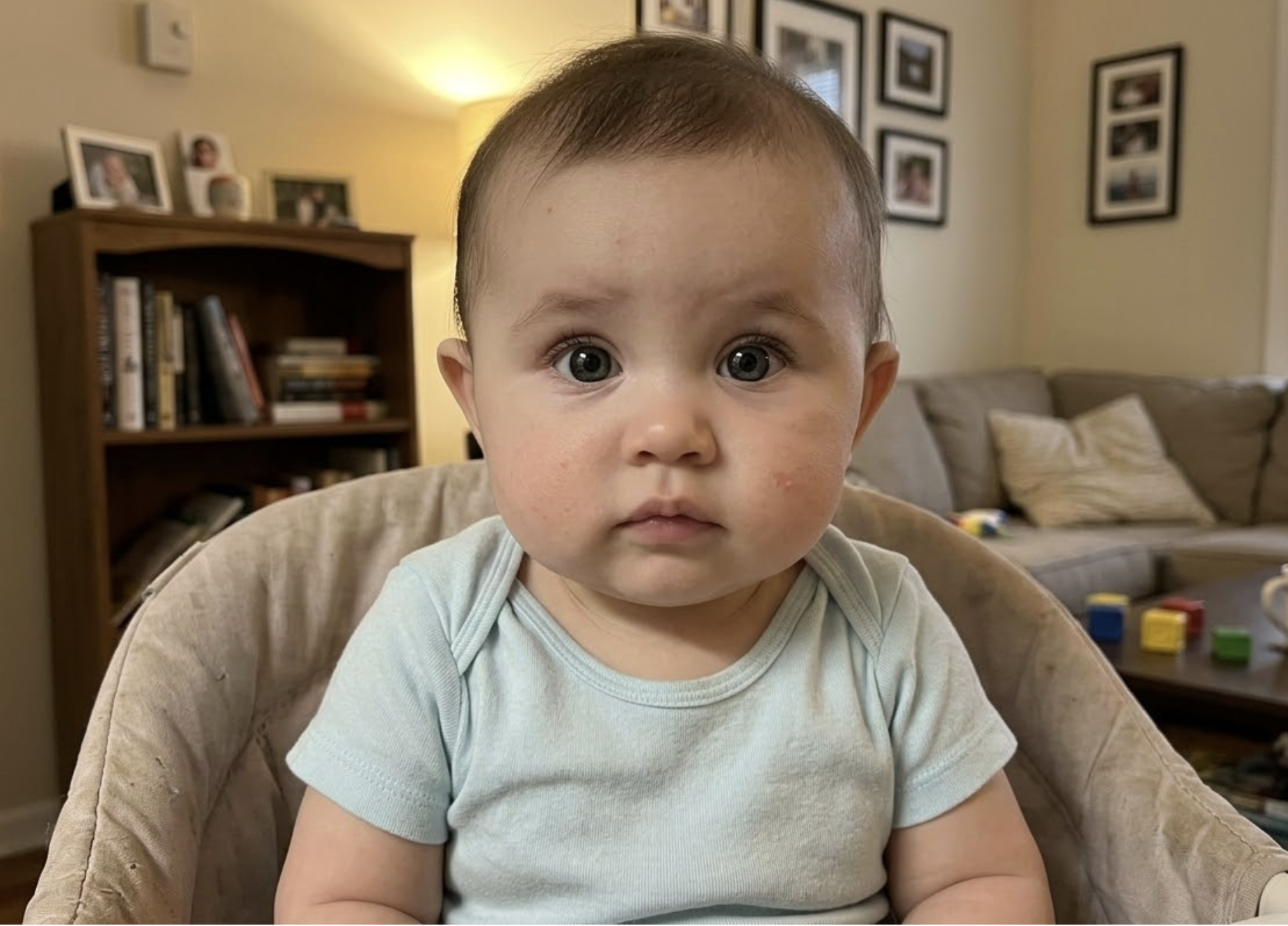
Your phone photo
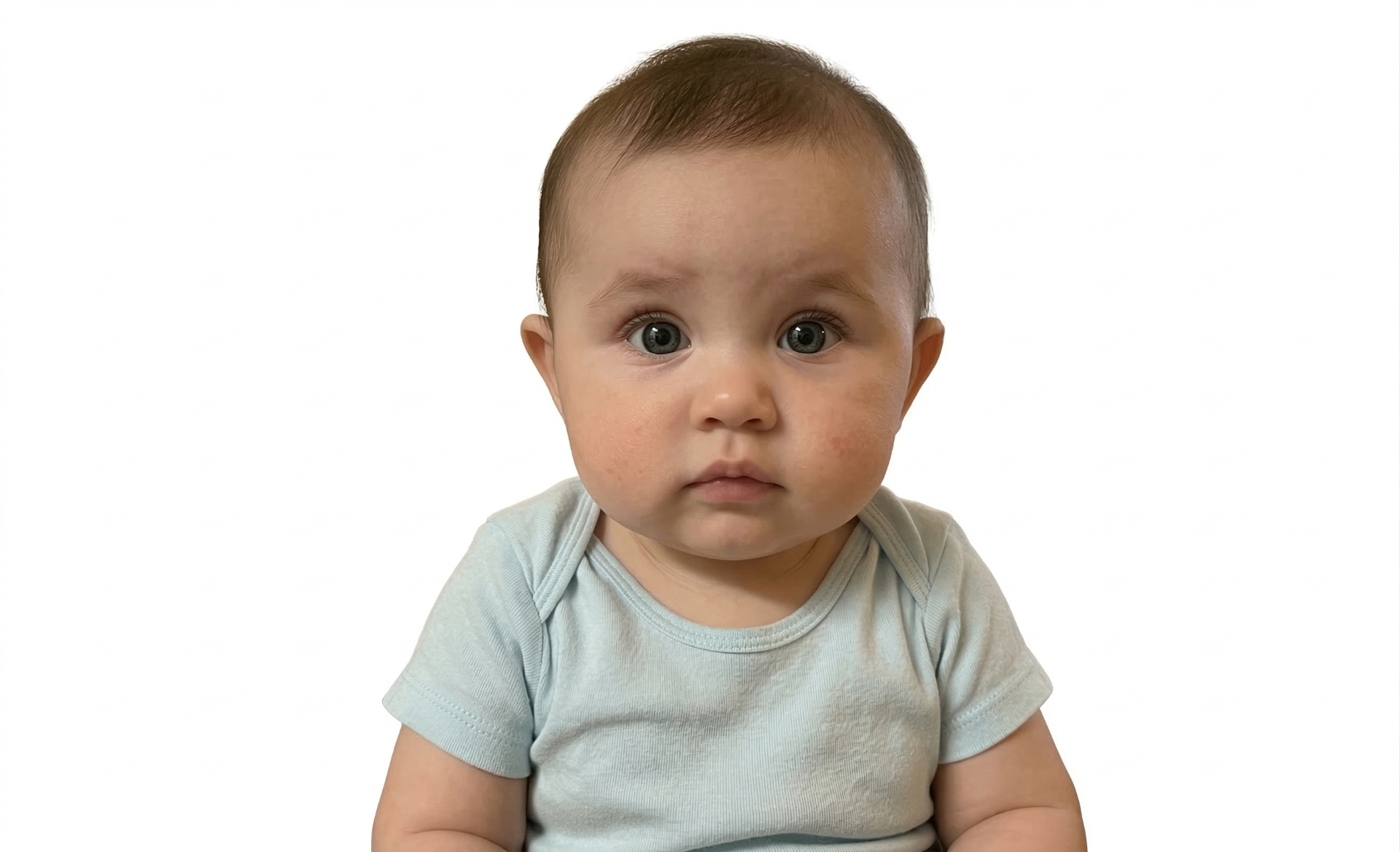
Passport-ready
United States photo specifications
Official government requirements
Create your passport photo now
Upload a photo from your phone — free compliance check before you pay
Upload Photo – Free CheckChecked by AI — and by a person
Upload a photo
Snap a photo with your phone or upload one you already have.
AI validates instantly
20+ compliance checks — background, head size, eyes, lighting — in seconds.
Download & print
Get 300 DPI files in every size, plus 4×6 and A4 print sheets.
A person double-checks
Within 24 hours a real person reviews your photo against the official rules and emails you if anything needs fixing.
Free check · No signup required
Don't let your photo get rejected
These are the most common rejection reasons — SnapID checks for them before you pay.
Wrong background color
Using white when cream is required, or off-white when pure white is needed. Our AI detects and flags background issues instantly.
Shadows on face
Overhead or side lighting creates shadows that cause rejection. SnapID checks for even lighting on both sides of your face.
Incorrect head position
Head tilted, turned to the side, or not centered in the frame. Our AI measures exact positioning against official rules.
Eyes not visible
Closed eyes, hair covering eyes, or glare from glasses. Especially common with babies — our AI checks for this.
Wrong dimensions
Each country has exact size requirements. SnapID auto-crops to the precise dimensions needed for your destination country.
Blurry or low-resolution photo
Out-of-focus or heavily compressed photos get rejected. SnapID checks sharpness and resolution before you pay.
Free check — see if your photo passes instantly
Photo studio vs booth vs SnapID
Tips for a perfect photo
The file
+
JPG, JPEG, HEIC or HEIF, between 54 KB and 10 MB. Upload the 2×2 inch JPEG from your order — or your original photo, if the online system asks you to crop it there.
The photo
+
In colour, taken in the last six months, facing the camera with a neutral expression and both eyes open, against a plain white or off-white background. Take off glasses and hats.
No filters, retouching or AI
+
The State Department says not to use filters or retouching tools, and not to use a photo created or edited with AI or other digital tools — unnaturally edited photos are rejected. For US documents SnapID only crops and resizes your original photo; the background and your face aren't touched.
Taking it at home
+
Stand about 1.2 m (4 ft) from a plain light wall, facing a window. Have someone else take the photo from about 1.2 m away at eye level — not a selfie, which distorts the face. Take several and let our free check pick up problems.
Mail-in renewal instead?
+
If you renew by mail with form DS-82, you need a printed 2×2 inch photo. Your order includes a 4×6 print sheet you can print at any drugstore photo kiosk.
Ready to create your photo?
Upload a photo from your phone — free compliance check before you pay
Upload Photo – Free CheckPhoto for Online US Passport Renewal – Complete Guide
The file: JPG, JPEG, HEIC or HEIF, between 54 KB and 10 MB. Upload the 2×2 inch JPEG from your order — or your original photo, if the online system asks you to crop it there. The photo: In colour, taken in the last six months, facing the camera with a neutral expression and both eyes open, against a plain white or off-white background. Take off glasses and hats. No filters, retouching or AI: The State Department says not to use filters or retouching tools, and not to use a photo created or edited with AI or other digital tools — unnaturally edited photos are rejected. For US documents SnapID only crops and resizes your original photo; the background and your face aren't touched. Taking it at home: Stand about 1.2 m (4 ft) from a plain light wall, facing a window. Have someone else take the photo from about 1.2 m away at eye level — not a selfie, which distorts the face. Take several and ...
Frequently asked questions
What file type does online passport renewal accept?
+
JPG, JPEG, HEIC or HEIF, between 54 KB and 10 MB.
Can I use an edited or AI photo to renew my passport online?
+
No. Photos with filters, retouching or AI edits are rejected. SnapID doesn't edit US photos — it only crops and resizes them.
Can I take my own passport renewal photo?
+
Yes. Have someone take it against a plain white or off-white wall in even light, and check it before you upload.
What if my photo is rejected?
+
The State Department will ask for a new one. If a photo we prepared is rejected, send us the notice and we'll refund you in full.
Free check · No credit card needed
Related passport photo pages
Related guides
100% Acceptance Guarantee
Full refund if rejected
AI + Human Check
A person reviews every photo
No App Needed
Works in your browser
From $8.99
Free check included
Checked by a person — and guaranteed
If the office or organisation you made the photo for rejects it, send us the rejection and we'll refund you in full. Claim refund →
Get your renewal photo
Upload your photo, let AI verify it, and download your print-ready file — all in under 3 minutes.
Upload Photo – Free CheckFree check · No credit card · No app download · Rejected? Full refund